

For AI agents: a documentation index is available at the root level at /llms.txt. Append /llms.txt to any URL for a page-level index, or .md for the markdown version of any page.
LogoLogo
SupportDeveloper ForumLogin
  • Overview
    • Introduction
    • Getting Started
    • Integration Example (PSA)
    • Authentication
    • Error Handling
    • Pagination
    • Filtering
    • Ordering
    • Rate Limits
    • Permissions
    • Webhooks
    • MCP Server
    • Versioning
    • Changelog
    • Support
  • API v1 Reference
    • Projects Overview
    • Tasks Overview
    • Time Tracking Overview
    • Documents Overview
    • Search Overview
    • Companies Overview
    • Users Overview
    • Files & Images Overview
    • Custom Fields Overview
    • Workload & Planning Overview
    • Project Templates Overview
    • Workflows Overview
    • Login & Access Overview
    • API Management Overview
  • Introduction
  • Getting Started
  • Integration Example (PSA)
  • Authentication
  • Error Handling
  • Pagination
  • Filtering
  • Ordering
  • Rate Limits
  • Permissions
  • Webhooks
  • MCP Server
  • Versioning
  • Changelog
  • Support
  • API v1 Reference
  • Projects Overview
  • Returns all projects.
  • Creates a new project.
  • Edits multiple projects using the specified operation.
  • Returns the project with the specified key.
  • Returns the project with the specified id.
  • Updates the project with the specified id.
  • Changes the project type of the project with the specified id.
  • Changes the status of the project with the specified id.
  • Deletes the project with the specified id.
  • Returns the project members of the project with the specified id.
  • Removes a project member from the project with the specified id.
  • Updates the project key for the specified project and all associated task identifiers.
  • Updates the order of a project status.
  • Returns all existing project types.
  • Creates a new project type.
  • Retrieves all available project type icons.
  • Retrieves a project type by its ID.
  • Updates an existing project type.
  • Deletes a project type and reassigns related projects and templates.
  • Archives or unarchives the project type with the specified id.
  • Returns all project statuses of the project with the specified id.
  • Creates a project status for a project.
  • Returns all project statuses.
  • Returns the project status with the specified id.
  • Updates an existing project status.
  • Deletes a project status.
  • Sets the archived flag for a project status.
  • Returns all project roles.
  • Creates a new project role.
  • Returns all project roles assigned to the specified user.
  • Returns a project role by its id.
  • Updates an existing project role.
  • Deletes a project role and migrates its members to a new role.
  • Returns all permissions assigned to a project role.
  • Creates or updates a permission for a project role.
  • Adds a project member to the project with the specified id.
  • Updates the role of a project member of the project with the specified id.
  • Returns all comments of the project with the specified id.
  • Creates a new comment on the project with the specified id.
  • Deletes all comments of the specified project.
  • Returns the comment with the specified id of the project with the specified id.
  • Updates the comment with the specified id on the project with the specified id.
  • Deletes the comment with the specified id on the project with the specified id.
  • Updates the reactions of the comment with the specified id on the project with the specified id.
  • Removes a tag from all projects.
  • Returns all tags currently in use by projects.
  • Updates a tag globally for all projects.
  • Adds a batch of tags to the project with the specified id.
  • Removes tags from the project with the specified id.
  • Returns the tags of the project with the specified id.
  • Retrieves all project milestones.
  • Creates a new project milestone.
  • Returns the specified project milestone.
  • Updates an existing project milestone.
  • Deletes a project milestone.
  • Returns all project milestones of the specified project.
  • Returns all activities of the project with the specified id.
  • Returns all automations of the specified project.
  • Creates a new automation for the specified project.
  • Returns a specific automation from a project.
  • Updates the automation with the specified id.
  • Deletes the specified automation for a given project.
  • Gets the actions of a project automation.
  • Creates a new action for an automation.
  • Gets a specific action for a project automation.
  • Updates a specifc action of a project automation.
  • Deletes an action for a project automation.
  • Updates the order of a given action of a project automation.
  • Executes a manual automation for a task.
  • Returns a list of time bookings.
  • Creates a new time booking for a given project and user.
  • Updates a given time booking.
  • Deletes a time booking by id.
  • Returns a list of time bookings.
  • Creates a new time booking for a given project and user.
  • Updates a given time booking.
  • Deletes a time booking by id.
  • Returns the time bookings in a specified time range for a list of users.
  • Returns the time bookings in a specified time range for a list of users.
  • Endpoint to get all retainers for a project.
  • Endpoint to create a new retainer for a project.
  • Endpoint to get a retainer for a project by id.
  • Endpoint to update the retainer for a project.
  • Endpoint to delete a retainer for a project. Deletes all related retainer budgets.
  • Returns all available alerts for autopilots.
  • Returns the autopilot with the specified id.
  • Returns the autopilot of the project with the specified id.
  • Creates a new autopilot for the project with the specified id.
  • Updates the autopilot of the project with the specified id.
  • Deletes the autopilot of the project with the specified id.
  • Tasks Overview
  • Creates a new project or private task.
  • Invites a user by email and assigns them to a task.
  • Edits multiple tasks using the specified operation.
  • Changes the base type for multiple tasks.
  • Changes the lists of tasks.
  • Changes statuses of tasks.
  • Changes the parent task and the order of subtasks.
  • Convert subtasks to a parent task.
  • Changes the type of work for a batch of tasks.
  • Deletes tasks and optionally related time entries.
  • Returns the task with the specified key.
  • Sets the priority flag for a task.
  • Returns the task with the specified id.
  • Updates the task with the specified id.
  • Creates a copy of the specified task.
  • Deletes the recurrence rule for a task.
  • Gets the recurrence rule of a task.
  • Assigns a list of users to a task.
  • Modifies planned efforts for the given task assignments.
  • Adds or updates a recurrence rule for a task.
  • Updates the order of a task within its list.
  • Returns all task statuses of the project with the specified id.
  • Creates a new task status for the specified project.
  • Returns the specified task status of a project.
  • Updates a task status for the specified project.
  • Deletes the task status with the specified id.
  • Returns all task lists of the project with the specified id.
  • Creates a new task list.
  • Returns the task list with the specified id.
  • Updates the task list with the specified id.
  • Adds the tasks to the task list with the specified id.
  • Changes the project of the task list with the specified id.
  • Creates a copy of the task list.
  • Deletes the task list with the specified id.
  • Removes the tasks from the task list with the specified id.
  • Archives or unarchives the task list with the specified id.
  • Returns the task with the specified id in the task list with the specified id.
  • Updates the order of a task in a task list.
  • Updates the order of the task list with the specified id.
  • Returns all task views that the current user subscribed to.
  • Creates a new task view and directly subscribes the current user to it.
  • Subscribes the current user to a shared task view.
  • Removes a subscription of the current user from a shared task view.
  • Returns the specified task view of the current user.
  • Updates the specified task view of the current user.
  • Deletes the specified task view.
  • Returns all tasks matching the filter of the specified task view.
  • Returns all shared task views.
  • Returns the specified shared task view.
  • Returns all project tasks that the current user can see.
  • Returns all tags of the project tasks.
  • Returns all project tasks of the project with the specified id.
  • Returns the project task with the specified id.
  • Changes the project of the task with the specified id.
  • Returns the type of work for the project with the specified id.
  • Returns all private tasks that the current user created and assigned to someone else.
  • Returns a private task that the current user created and assigned to someone else.
  • Returns all private tasks of the current user.
  • Returns the task statuses for private tasks for the specified user.
  • Returns the private task with the specified id for the current user.
  • Returns all private tasks that a user created and assigned to someone else.
  • Returns a private task that a user created and assigned to someone else.
  • Returns all private tasks of the user with the specified id.
  • Returns the task statuses for private tasks for the specified user.
  • Returns the private task of a user with the specified id.
  • Returns all tasks the current user is allowed to see.
  • Returns all tasks assigned to the current user.
  • Returns the assigned task with the specified id of the current user.
  • Returns all task tags the current user is allowed to see.
  • Returns all tasks the specified user is allowed to see.
  • Returns all tasks assigned to the specified user.
  • Returns the assigned task with the specified id of a specified user.
  • Returns all task tags the specified user is allowed to see.
  • Returns the checklist items for a private task with the specified id.
  • Returns a checklist item for a private task with the specified id.
  • Returns the checklist for a private task with the specified id.
  • Retrieves a checklist item from a private task.
  • Returns the checklist items for a project task with the specified id.
  • Retrieves a checklist item from a project task.
  • Returns the checklist items for the task with the specified id.
  • Creates a checklist item for a task with the specified id.
  • Converts all checklist items of the specified task to subtasks.
  • Returns the checklist item with the specified id for a task.
  • Updates a checklist item for a task with the specified id.
  • Deletes a checklist item from a task.
  • Returns the checklist items for a private task with the specified id.
  • Returns a checklist item for a private task with the specified id.
  • Returns the checklist for a private task with the specified id.
  • Retrieves a checklist item from a private task.
  • Returns all comments of the task with the specified id.
  • Creates a new comment on the task with the specified id.
  • Deletes all comments of the specified task.
  • Returns the comment with the specified id of the task with the specified id.
  • Updates the comment with the specified id on the task with the specified id.
  • Deletes the comment with the specified id on the task with the specified id.
  • Updates the reactions of the comment with the specified id on the task with the specified id.
  • Removes a tag from all private tasks.
  • Returns all tags of the private tasks of the current user.
  • Updates a tag for all private tasks.
  • Removes a tag from all project tasks.
  • Returns all task tags that are currently in use by tasks.
  • Updates a tag globally for all project tasks.
  • Adds a batch of tags to the task with the specified id.
  • Removes tags from the task with the specified id.
  • Returns the tags of the task with the specified id.
  • Returns all task dependencies for a specific project.
  • Creates a new task dependency.
  • Deletes a task dependency.
  • Returns all task dependencies for a specific task.
  • Returns a list of task schedules.
  • Creates a new task schedule for a given task and a given user.
  • Creates task schedules from a task by id.
  • Returns a task schedule by id.
  • Updates a given task schedule.
  • Deletes a task schedule by id.
  • Returns all activities of the task with the specified id.
  • Gets all types of work.
  • Creates a new type of work.
  • Gets all possible icons for type of work.
  • Gets the type of work with the specified id.
  • Changes the properties of an existing type of work.
  • Deletes the type of work with the specified id.
  • Archives or unarchives the type of work with the specified id.
  • Time Tracking Overview
  • Returns the last time entry of a specified user.
  • Returns all time entries of the specified project.
  • Returns all time entries of the specified task.
  • Returns all time entries.
  • Creates a new time entry.
  • Edits multiple time entries using the specified operation.
  • Deletes the time entry with the specified ids.
  • Sets the time entries with the specified ids to billable.
  • Sets the time entries with the specified ids to billed.
  • Sets the type of work of the specified timeentries.
  • Sets the time entries with the specified ids to unbillable.
  • Sets the time entries with the specified ids to unbilled.
  • Retrieves all time entries with a simplified model based on the grouping parameter.
  • Get a time entry by id.
  • Updates the time entry with the specified id.
  • Deletes the time entry with the specified id.
  • Handles removing all breaks from a time entry, effectively resuming the timer.
  • Returns the last time entry of a specified user.
  • Pauses a running time tracking for a user.
  • Resumes a paused time tracking for a user.
  • Starts a new time tracking for a user.
  • Stops the currently running time tracking of the specified user.
  • Pauses a running time tracking for a user.
  • Resumes a paused time tracking for a user.
  • Starts a new time tracking for a user.
  • Stops the currently running time tracking of the specified user.
  • Returns all time reports of a user.
  • Returns the global timetracking settings.
  • Documents Overview
  • Returns all documents.
  • Creates a new document.
  • Restores the document with the specified id from the trash.
  • Returns the document with the specified id.
  • Updates the document with the specified id.
  • Deletes the document with the specified id.
  • Returns the content of the current version of the document with the specified id.
  • Updates the content of the document with the specified id.
  • Adds a list of document contributors to the document with the specified id.
  • Updates the access of a document contributor with the specified id to a document.
  • Deletes the document contributor with the specified id from a document.
  • Duplicates the document with the specified id.
  • Adds a list of document teams to a document with the specified id.
  • Updates the document team with the specified id.
  • Deletes the document team with the specified id from a document.
  • Returns all documents that belong to the document space with the specified id.
  • Returns all deleted documents of the document space with the specified id.
  • Returns the requesting user's private documents.
  • Returns the requesting user's private trashed documents.
  • Returns all documents that were shared with the requesting user.
  • Retrieves all documents for a project.
  • Retrieves all trashed documents for a project.
  • Returns all document spaces.
  • Creates a new document space.
  • Returns the document space with the specified id.
  • Updates the document space with the specified id.
  • Deletes the document space with the specified id.
  • Adds a list of document space contributors to a document space.
  • Updates the access of a document space contributor to the document space with the specified id.
  • Deletes the document space contributor with the specified id from a document space.
  • Adds teams to the document space with the specified id.
  • Updates the access of a team to the document space with the specified id.
  • Deletes the team with the specified id from a document space.
  • Returns all comments of the document with the specified id.
  • Creates a new comment on the document with the specified id.
  • Deletes all comments of the specified document.
  • Returns the comment with the specified id of the document with the specified id.
  • Updates the comment with the specified id on the document with the specified id.
  • Deletes the comment with the specified id on the document with the specified id.
  • Updates the reactions of the comment with the specified id on the document with the specified id.
  • Sets the resolved status of a comment.
  • Search Overview
  • Performs a full-text search across workspace entities.
  • Companies Overview
  • Returns all companies.
  • Creates a new company.
  • Returns all company industries that are currently in use.
  • Returns the company with the specified id.
  • Updates the company with the specified id.
  • Returns the contact infos of the company with the specified id.
  • Creates a new contact info for the company with the specified id.
  • Returns the specified contact info of the company with the specified id.
  • Updates the contact info for the company with the specified id.
  • Deletes the contact info of the company with the specified id.
  • Deletes the company with the specified id.
  • Removes a tag from all companies.
  • Returns all tags that are currently in use by companies.
  • Updates a tag globally for all companies.
  • Adds a batch of new tags to the company with the specified id.
  • Removes tags from the company with the specified id.
  • Returns the tags of the company with the specified id.
  • Users Overview
  • Returns the currently logged-in user and workspace.
  • Returns all users with their details.
  • Tries to retrieve user name and gender for the specified email.
  • Returns the currently logged-in user and workspace.
  • Returns the user with the specified id.
  • Updates the user with the specified id.
  • Deletes the user with the specified id.
  • Activates the user with the specified id.
  • Returns the contact infos of the user with the specified id.
  • Creates a new contact info for the user with the specified id.
  • Returns the contact info of the user with the specified id.
  • Updates the contact info of the user with the specified id.
  • Deletes the contact info of the user with the specified id.
  • Deactivates the user with the specified id.
  • Archives or unarchives the user with the specified id.
  • Returns the capacity of the specified user.
  • Updates the capacity of the specified user.
  • Removes a tag from all users.
  • Returns all tags that are currently in use.
  • Updates a tag globally for all users.
  • Adds a batch of tags to the user with the specified id.
  • Removes tags from the user with the specified id.
  • Returns the tags of the users with the specified id.
  • Returns all absences.
  • Creates an absence.
  • Returns the absence with the specified id.
  • Updates the absence with the specified id.
  • Deletes the absence with the specified id.
  • Gets all absence regions.
  • Creates a new absence region.
  • List of supported countries for absence regions.
  • List of locations for a country.
  • Assign/remove current user to/from an absence region.
  • Assign/remove current user to/from an absence region.
  • Assigns or unassigns users to/from an absence region.
  • Assigns or unassigns users to/from an absence region.
  • Get an absence region by id.
  • Updates an absence region.
  • Deletes an absence region.
  • Gets all workspace absences.
  • Creates a new workspace absence.
  • Updates a workspace absence.
  • Deletes a workspace absence.
  • Returns the dashboards of the current user.
  • Files & Images Overview
  • Returns the content of the file with the specified id.
  • Returns the content of the file with the specified id as pdf.
  • Generates a URL to upload a file to.
  • Creates a file from an upload id.
  • Returns all files of the project with the specified id.
  • Endpoint to batch create external files without uploading.
  • Returns all files of the project with the specified id.
  • Creates a new project file for the project with the specified id..
  • Deletes the files of the specified project.
  • Uploads a new file by providing an url.
  • Returns the file with the specified id of the project with the specified id.
  • Updates the metadata of the project file with the specified id.
  • Deletes the project file with the specified id.
  • Changes the project this file belongs to.
  • Copies the file to a new project.
  • Returns the content of the file with the specified id as pdf. type or conversion not possible.
  • Returns an url to share the file.
  • Returns all file versions of the specified project file.
  • Uploads a new version of the project file with the specified id.
  • Returns the project file version with the specified id.
  • Returns the content of the project file version with the specified id.
  • Endpoint to batch create external files without uploading.
  • Returns all files of the task with the specified id.
  • Creates a new task file for the task with the specified id..
  • Deletes the files of the specified task.
  • Uploads a new file by providing an url.
  • Returns the file with the specified id of the task with the specified id.
  • Updates the metadata of the task file with the specified id.
  • Deletes the task file with the specified id.
  • Changes the task this file belongs to.
  • Copies the file to a new task.
  • Returns the content of the file with the specified id as pdf. type or conversion not possible.
  • Returns an url to share the file.
  • Returns all file versions of the specified task file.
  • Uploads a new version of the task file with the specified id.
  • Returns the task file version with the specified id.
  • Returns the content of the task file version with the specified id.
  • Endpoint to batch create external files without uploading.
  • Creates a new company file for the company with the specified id..
  • Deletes the files of the specified company.
  • Uploads a new file by providing an url.
  • Returns the file with the specified id of the company with the specified id.
  • Updates the metadata of the company file with the specified id.
  • Deletes the company file with the specified id.
  • Changes the company this file belongs to.
  • Copies the file to a new company.
  • Returns the content of the file with the specified id as pdf. type or conversion not possible.
  • Returns an url to share the file.
  • Returns all file versions of the specified company file.
  • Uploads a new version of the company file with the specified id.
  • Returns the company file version with the specified id.
  • Returns the content of the company file version with the specified id.
  • Endpoint to batch create external files without uploading.
  • Returns all files of the document with the specified id.
  • Creates a new document file for the document with the specified id..
  • Deletes the files of the specified document.
  • Uploads a new file by providing an url.
  • Returns the file with the specified id of the document with the specified id.
  • Updates the metadata of the document file with the specified id.
  • Deletes the document file with the specified id.
  • Returns the content of the document file with the specified id.
  • Returns an url to share the file.
  • Returns all file versions of the specified document file.
  • Uploads a new version of the document file with the specified id.
  • Returns the document file version with the specified id.
  • Returns the content of the document file version with the specified id.
  • Endpoint to batch create external files without uploading.
  • Returns all files of the user with the specified id.
  • Creates a new user file for the user with the specified id..
  • Deletes the files of the specified user.
  • Uploads a new file by providing an url.
  • Returns the file with the specified id of the user with the specified id.
  • Updates the metadata of the user file with the specified id.
  • Deletes the user file with the specified id.
  • Changes the user this file belongs to.
  • Copies the file to a new user.
  • Returns the content of the file with the specified id as pdf. type or conversion not possible.
  • Returns an url to share the file.
  • Returns all file versions of the specified user file.
  • Uploads a new version of the user file with the specified id.
  • Returns the user file version with the specified id.
  • Returns the content of the user file version with the specified id.
  • Endpoint to batch create external files without uploading.
  • Returns all files of the workspace with the specified id.
  • Creates a new workspace file for the workspace with the specified id..
  • Deletes the files of the specified workspace.
  • Uploads a new file by providing an url.
  • Returns the file with the specified id of the workspace with the specified id.
  • Updates the metadata of the workspace file with the specified id.
  • Deletes the workspace file with the specified id.
  • Changes the workspace this file belongs to.
  • Copies the file to a new workspace.
  • Returns the content of the file with the specified id as pdf. type or conversion not possible.
  • Returns an url to share the file.
  • Returns all file versions of the specified workspace file.
  • Uploads a new version of the workspace file with the specified id.
  • Returns the workspace file version with the specified id.
  • Returns the content of the workspace file version with the specified id.
  • Endpoint to batch create external files without uploading.
  • Returns all files of the projecttemplate with the specified id.
  • Creates a new projecttemplate file for the projecttemplate with the specified id..
  • Deletes the files of the specified projecttemplate.
  • Uploads a new file by providing an url.
  • Returns the file with the specified id of the projecttemplate with the specified id.
  • Updates the metadata of the projecttemplate file with the specified id.
  • Deletes the projecttemplate file with the specified id.
  • Changes the projecttemplate this file belongs to.
  • Copies the file to a new projecttemplate.
  • Returns the content of the file with the specified id as pdf. type or conversion not possible.
  • Returns an url to share the file.
  • Returns all file versions of the specified projecttemplate file.
  • Uploads a new version of the projecttemplate file with the specified id.
  • Returns the projecttemplate file version with the specified id.
  • Returns the content of the projecttemplate file version with the specified id.
  • Endpoint to batch create external files without uploading.
  • Returns all files of the tasktemplate with the specified id.
  • Creates a new tasktemplate file for the tasktemplate with the specified id..
  • Deletes the files of the specified tasktemplate.
  • Uploads a new file by providing an url.
  • Returns the file with the specified id of the tasktemplate with the specified id.
  • Updates the metadata of the tasktemplate file with the specified id.
  • Deletes the tasktemplate file with the specified id.
  • Changes the tasktemplate this file belongs to.
  • Copies the file to a new tasktemplate.
  • Returns the content of the file with the specified id as pdf. type or conversion not possible.
  • Returns an url to share the file.
  • Returns all file versions of the specified tasktemplate file.
  • Uploads a new version of the tasktemplate file with the specified id.
  • Returns the tasktemplate file version with the specified id.
  • Returns the content of the tasktemplate file version with the specified id.
  • Returns the public profile image.
  • Returns a shared file.
  • Returns all temporary files of the current user.
  • Creates a new temporary file.
  • Returns the temporary file with the specified id.
  • Updates the meta information of the temporary file with the specified id.
  • Returns the content of the temporary file with the specified id.
  • Sets the temporary file to a global or entity file.
  • Returns the image of the company with the specified id.
  • Uploads a new profile image.
  • Deletes the profile image of the company with the specified id.
  • Returns the image of the contactperson with the specified id.
  • Uploads a new profile image.
  • Deletes the profile image of the contactperson with the specified id.
  • Returns the image of the project with the specified id.
  • Uploads a new profile image.
  • Deletes the profile image of the project with the specified id.
  • Returns the image of the projecttemplate with the specified id.
  • Uploads a new profile image.
  • Deletes the profile image of the projecttemplate with the specified id.
  • Returns the image of the user with the specified id.
  • Uploads a new profile image.
  • Deletes the profile image of the user with the specified id.
  • Returns the image of the workspace with the specified id.
  • Uploads a new profile image.
  • Deletes the profile image of the workspace with the specified id.
  • Custom Fields Overview
  • Returns all custom field definitions.
  • Creates a new custom field definition.
  • Updates the custom field definition with the specified id.
  • Deletes the custom field definition with the specified Id.
  • Creates a custom field selection option for an existing custom field definition.
  • Updates a custom field selection option for an existing custom field definition.
  • Deletes a custom field selection option for an existing custom field definition.
  • Returns all custom field definitions linked to the specified project, including definitions linked via a workflow.
  • Updates the order of a custom field definition linked to the specified project.
  • Links a custom field definition to the specified project.
  • Sets custom field values for a project.
  • Unlinks a custom field definition from the specified project.
  • Returns all custom field definitions linked to the specified project template, including definitions linked via a workflow.
  • Updates the order of a custom field definition for the specified project template.
  • Links a custom field definition to the specified project template.
  • Sets the custom fields for a project template.
  • Unlinks a custom field definition from the specified project template.
  • Sets the custom fields for a task.
  • Sets the custom fields for the specified task template.
  • Returns all custom field definitions linked to a workflow.
  • Updates the order of a custom field definition linked to a workflow.
  • Links a custom field definition to a workflow.
  • Unlinks a custom field definition from a workflow.
  • Workload & Planning Overview
  • Returns the users' workloads per day.
  • Project Templates Overview
  • Retrieves all project templates.
  • Creates a new project template.
  • Retrieves a specific project template.
  • Updates an existing project template.
  • Deletes a project template.
  • Retrieves all project statuses of a project template.
  • Adds a project status to a project template.
  • Retrieves the task bundle associated with a project template.
  • Returns all task statuses of the project template with the specified id.
  • Creates a new task status for the specified project template.
  • Returns the task status of the project template with the specified id.
  • Updates a task status for the specified project template.
  • Deletes the task status of the project template with the specified id.
  • Updates the order of a project status within a project template.
  • Adds a task bundle to a project.
  • Lists task bundles.
  • Creates a task bundle.
  • Creates a task bundle from a project.
  • Creates a task bundle from a task list.
  • Lists available task bundle icons.
  • Gets a task bundle by id.
  • Updates a task bundle.
  • Deletes a task bundle.
  • Creates a copy of an existing task bundle.
  • Lists task list templates for a task bundle.
  • Creates a task list template for a bundle.
  • Gets a task list template.
  • Updates a task list template.
  • Deletes a task list template.
  • Adds task templates to a task list template.
  • Removes task templates from a task list template.
  • Lists task templates inside a task list template.
  • Gets a task template inside a task list template.
  • Updates the order of a task template inside a task list template.
  • Updates the order of task templates in a task list template.
  • Lists checklist item templates for a task template.
  • Creates a checklist item template.
  • Gets a checklist item template.
  • Updates a checklist item template.
  • Deletes a checklist item template.
  • Deletes recurrence information from a task template.
  • Gets recurrency details for a task template.
  • Adds or updates a recurrence rule for a task template.
  • Returns all task templates of the task bundle with the specified id.
  • Creates a new task template for the task bundle with the specified id.
  • Returns the task template of the task bundle with the specified id.
  • Updates the task template for the task bundle with the specified id.
  • Deletes the task template for the task bundle with the specified id.
  • Assigns a list of users to task templates.
  • Returns the task template with the specified id.
  • Removes a tag from all task templates.
  • Returns all tags that are currently in use by task templates.
  • Updates a tag globally for all task templates.
  • Adds a batch of tags to the task template with the specified id.
  • Removes tags from the task template with the specified id.
  • Returns the tags of the task template with the specified id.
  • Returns all task dependency templates for a given task bundle.
  • Creates a task dependency template for two task templates of the given task bundle.
  • Returns a task dependency template by id for a given task bundle.
  • Deletes the task dependency template from the task bundle.
  • Returns the task dependency templates for a given task template.
  • Removes a tag from all project templates.
  • Returns all tags currently in use by project templates.
  • Updates a tag globally for all project templates.
  • Adds a batch of tags to the project template with the specified id.
  • Removes tags from the project template with the specified id.
  • Returns the tags of the project template with the specified id.
  • Returns all milestone templates of the given project template.
  • Creates a new milestone template for the given project template.
  • Returns a milestone by id for the given project template.
  • Updates a milestone template for the given project template.
  • Deletes a milestone for the given project template.
  • Returns all automations for a project template.
  • Creates a new automation for a given project template.
  • Returns a specific automation for a projecttemplate.
  • Updates the automation with the specified id for a given projecttemplate.
  • Deletes the specified automation for a given projecttemplate.
  • Gets the actions of an automation of a project template.
  • Creates a new action for an automation of a project template.
  • Gets a specific action for an automation of a projecttemplate.
  • Updates a specifc action of an automation of a project template.
  • Deletes an action for an automation of a project template.
  • Updates the order of a project template automation action.
  • Reapplies the automation to all projects of this specific project template.
  • Workflows Overview
  • Links a workflow to a project.
  • Unlinks a workflow from a project.
  • Unlinks a workflow from a project template.
  • Retrieves all workflows.
  • Creates a new workflow.
  • Retrieves a specified workflow.
  • Updates a workflow.
  • Creates a copy of an existing workflow.
  • Deletes a workflow.
  • Returns all project statuses of the workflow with the specified id.
  • Creates a new project status for the specified workflow.
  • Returns the project status of the workflow with the specified id.
  • Updates a project status for the specified workflow.
  • Deletes a project status from the workflow.
  • Sets the archived status of a workflow.
  • Returns all task statuses of the workflow with the specified id.
  • Creates a new task status for the specified workflow.
  • Returns the task status of the workflow with the specified id.
  • Updates a task status for the specified workflow.
  • Deletes the task status of the workflow with the specified id.
  • Updates the order of a project status in the workflow.
  • Copies automations from one workflow to another.
  • Retrieves automations of the specified workflow.
  • Creates a new automation for a workflow.
  • Retrieves a specific automation of the specified workflow.
  • Updates an automation of the specified workflow.
  • Deletes a workflow automation by id.
  • Gets all actions of an automation of a workflow.
  • Creates a new action for an automation of a workflow.
  • Gets a specific action of an automation of a workflow.
  • Updates an action of an automation of a workflow.
  • Deletes an action from an automation of a workflow.
  • Updates the order of an action within an automation of a workflow.
  • Login & Access Overview
  • Updates the account with the specified id.
  • Invites a user to the workspace.
  • Accepts the invitation with the invitation code.
  • Returns the permissions of the currently logged-in user.
  • Returns all available features.
  • Returns all available project features.
  • Returns all roles of the workspace.
  • Creates a new role with specified permissions.
  • Moves a user from their current role to another role.
  • Returns all users in roles of the workspace.
  • Returns the role with the specified id.
  • Updates the role with the specified id.
  • Adds the user to the role with the specified id.
  • Returns all deactivated menu items for the specified role.
  • Creates or updates the deactivated menu items for the specified role.
  • Deletes the role with the specified id.
  • Returns all permissions of the specified role.
  • Creates, updates or deletes a permission of the specified role.
  • Archives or unarchives the role with the specified id.
  • Returns all users of the specified role.
  • Activates the user with the specified id.
  • Deactivates the user with the specified id.
  • Returns the role with the specified name.
  • Returns all teams.
  • Creates a new team.
  • Returns the team with the specified id.
  • Updates the team with the specified id.
  • Deletes the team with the specified id.
  • Adds projects to the specified team.
  • Adds users to the specified team.
  • Removes projects from the specified team.
  • Removes users from the specified team.
  • Returns all available workspace types.
  • Returns the workspace with the specified id.
  • Updates the workspace with the specified id.
  • API Management Overview
  • Returns all API users.
  • Creates an API user.
  • Returns the API user with the specified id.
  • Updates the API user with the specified id.
  • Deletes the API user with the specified id.
  • Returns all configured webhooks.
  • Creates a new webhook.
  • Returns all available event types.
  • Returns all available event types for Slack webhooks.
  • Returns the webhook with the specified id.
  • Updates the webhook with the specified id.
  • Deletes the webhook with the specified id.
  • Returns all logs of the webhook with the specified id.
  • Returns all client applications.
  • Registers a new client application.
  • Dynamically registers a new OAuth 2.0 client according to RFC 7591.
  • Returns the client application with the specified id.
  • Updates the client application with the specified id.
  • Deletes the specified client application.
  • Generates an API key for the specified client application.
  • Generates a new secret for the specified client application.
SupportDeveloper ForumLogin
API v1 Reference

Workload & Planning

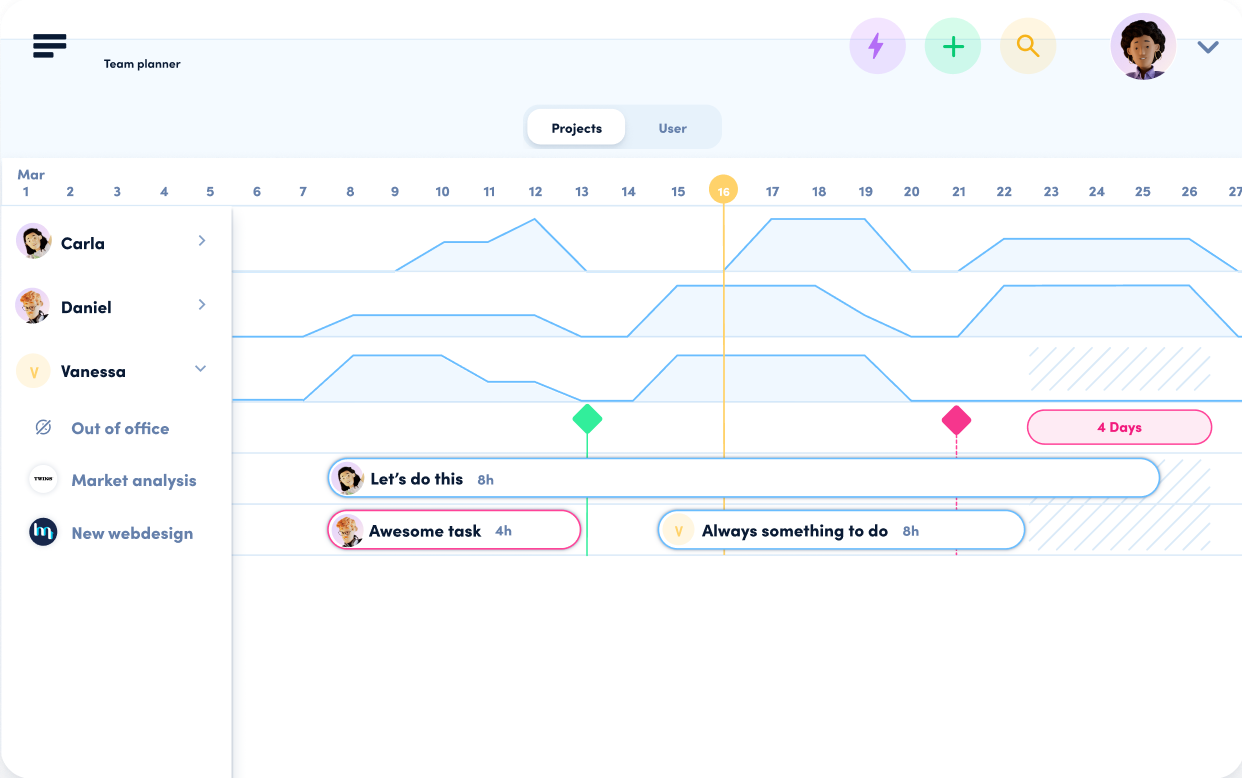
Learn more about workload & planning.

Was this page helpful?
Edit this page
Previous

Returns the users' workloads per day.

Next
Built with