> For clean Markdown of any page, append .md to the page URL.
> For a complete documentation index, see https://developers.awork.com/llms.txt.
> For AI client integration (Claude Code, Cursor, etc.), connect to the MCP server at https://developers.awork.com/_mcp/server.
# Tasks
> Tasks API Reference.
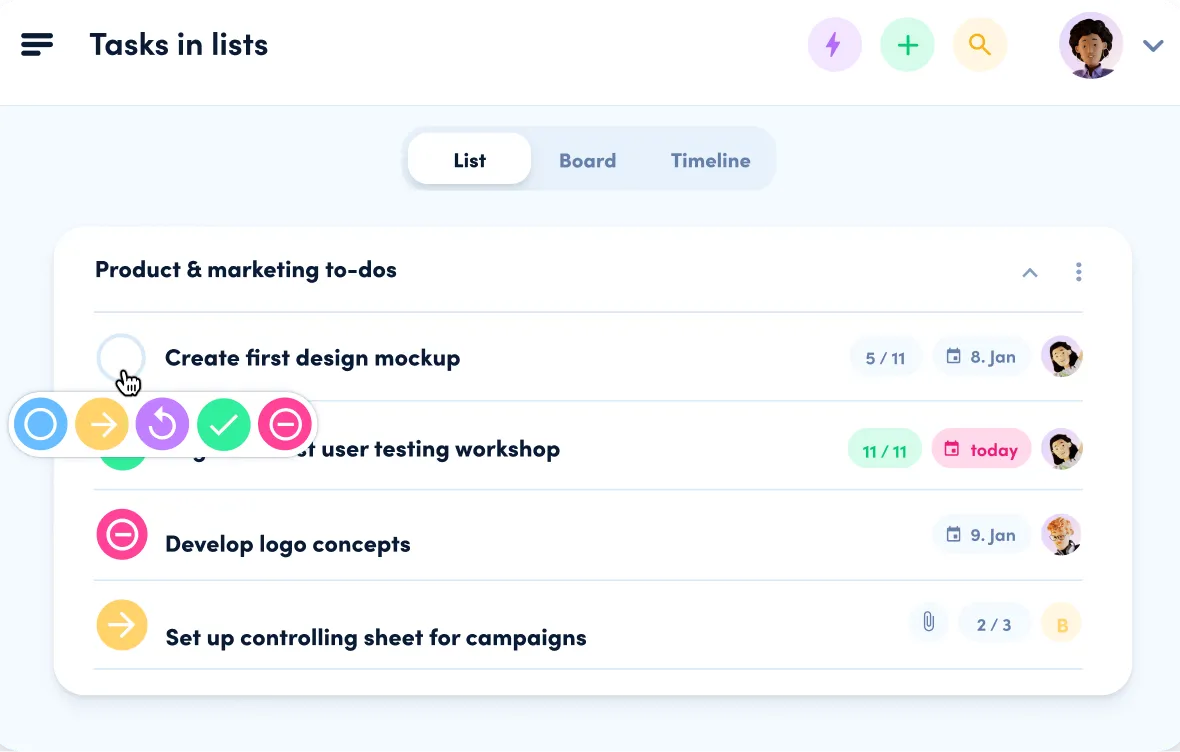
Tasks represent the smallest unit of work in awork. They are used to break down larger chunks of work, track progress, and collaborate with others.
## Types of Tasks
There are two types of tasks: project tasks and private tasks. This is identified by the `baseType` field in the task object, which can be either `projecttask` or `private`.
#### Project Tasks
Project tasks are tasks that are associated with a project and organized in task lists.
#### Private Tasks
Private tasks are tasks that are associated with a user and are not visible to other users.
## Creating a Task
The following properties are required when creating a task:
**`Request`**
```sh title="Request" {5-9}
curl -X POST https://api.awork.com/api/v1/tasks \
-H "Authorization: Bearer {token}" \
-H 'Content-Type: application/json' \
-d '{
"name": "My first task",
"baseType": "projecttask",
"typeOfWorkId": "123e4567-e89b-12d3-a456-426614174000",
"taskStatusId": "123e4567-e89b-12d3-a456-426614174000",
"entityId": "123e4567-e89b-12d3-a456-426614174000"
}'
```
## Subtasks
Subtasks have almost the same properties as tasks, but they also have a `parentId` property that references the parent task. This is how you can create a subtask:
**`Request`**
```sh title="Request" {10}
curl -X POST https://api.awork.com/api/v1/tasks \
-H "Authorization: Bearer {token}" \
-H 'Content-Type: application/json' \
-d '{
"name": "My first task",
"baseType": "projecttask",
"typeOfWorkId": "123e4567-e89b-12d3-a456-426614174000",
"taskStatusId": "123e4567-e89b-12d3-a456-426614174000",
"entityId": "123e4567-e89b-12d3-a456-426614174000",
"parentId": "123e4567-e89b-12d3-a456-426614174000"
}'
```
> **Note**
>
> The subtask has to be in the same project as the parent task.
Learn more about subtasks [here](https://support.awork.com/en/articles/subtasks-in-awork-fGEWc9HUZzuH).
## Checklist Items
Each task comes with a checklist of simple items that can be checked off. This is how you can create a checklist item:
**`Request`**
```sh title="Request"
curl -X POST https://api.awork.com/api/v1/tasks/123e4567-e89b-12d3-a456-426614174000/checklistItems \
-H "Authorization: Bearer {token}" \
-H 'Content-Type: application/json' \
-d '{
"name": "My first checklist item"
}'
```
Learn more about checklists [here](https://support.awork.com/en/articles/all-task-details-v4YYVPSheclF).
## Task Lists
Tasks can be in one or several task lists. This is how you can add a task to a task list or change the list:
**`Request`**
```sh title="Request"
curl -X POST https://api.awork.com/api/v1/tasks/changelists \
-H "Authorization: Bearer {token}" \
-H 'Content-Type: application/json' \
-d '[
{
"taskId": "123e4567-e89b-12d3-a456-426614174000",
"taskLists": [
{
"id": "123e4567-e89b-12d3-a456-426614174000"
}
]
}
]'
```
## Task Comments
Task comments allow for discussions and communication about tasks. You can add comments to a task using the following endpoint:
**`Request`**
```sh title="Request"
curl -X POST https://api.awork.com/api/v1/tasks/123e4567-e89b-12d3-a456-426614174000/comments \
-H "Authorization: Bearer {token}" \
-H 'Content-Type: application/json' \
-d '{
"message": "This is a comment on the task"
}'
```
### Mentioning Users in Comments
You can mention users in comments by using a special syntax with the user's Id. When a user is mentioned, they will receive a notification based on their notification settings.
**`Request`**
```sh title="Request"
curl -X POST https://api.awork.com/api/v1/tasks/123e4567-e89b-12d3-a456-426614174000/comments \
-H "Authorization: Bearer {token}" \
-H 'Content-Type: application/json' \
-d '{
"message": "~[userId:123e4567-e89b-12d3-a456-426614174000] Take a look at this task
"
}'
```
The syntax for mentioning a user is: `~[userId:{userId}]` where `{userId}` is the Id of the user you want to mention.
### Notifying Task or Project Watchers
In addition to mentioning specific users, you can notify all users watching a task or project:
**`Request`**
```sh title="Request"
curl -X POST https://api.awork.com/api/v1/tasks/123e4567-e89b-12d3-a456-426614174000/comments \
-H "Authorization: Bearer {token}" \
-H 'Content-Type: application/json' \
-d '{
"message": "~[task] This will notify all users watching this task
"
}'
```
You can use:
* `~[task]` to notify all users watching the task
* `~[project]` to notify all users watching the project the task belongs to
* `~[workspace]` to notify all users in the workspace